
HubSpot與Line Official Account消息互通使用説明
現可透過JIKA實現HubSpot與Line Official Account消息互通,請參考以下説明進行互通設定並了解實際應用。
Part 1 在HubSpot Developer中創建可串接Line的App
1. 登入HubSpot developer帳戶
在HubSpot中需要使用developer帳戶創建App,透過以下連結創建並登入developer帳戶:https://app.hubspot.com/signup-hubspot/developers?step=landing_page
2. Get HubSpot API Key
a. 在左側邊欄點擊Apps進入Apps頁面,再點擊右上角 獲取HubSpot API key
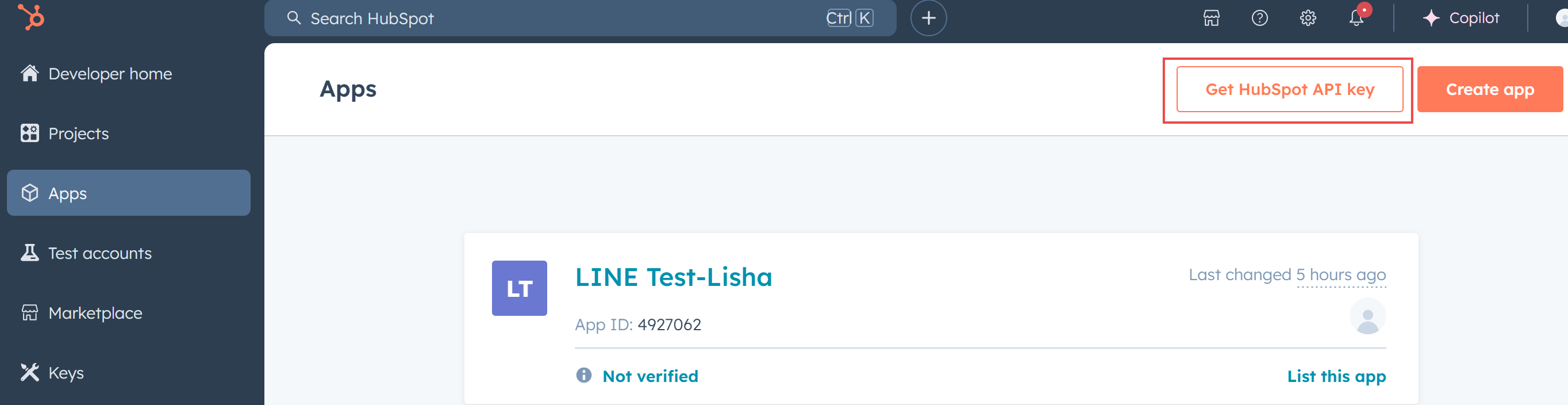
b. 在彈窗中點擊
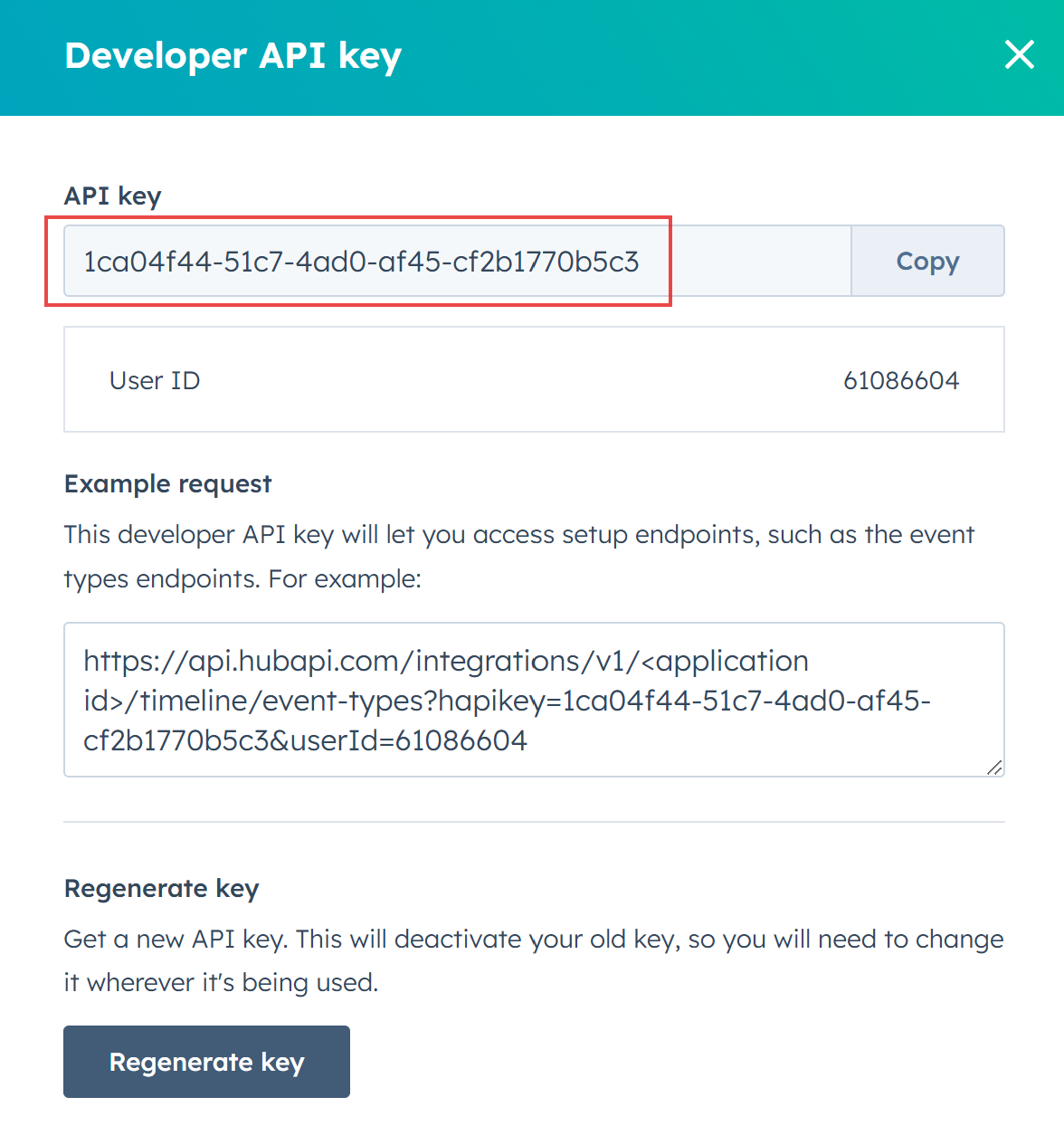
c. 成功生成key後,點 。這裏的API key會在JIKA後台設定中使用到
3. 創建App
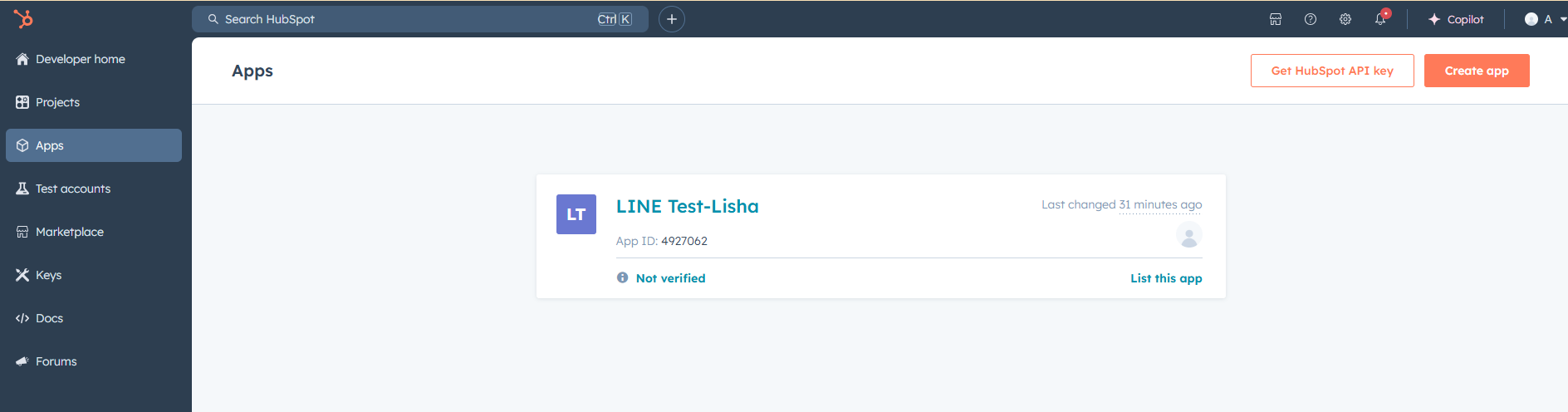
a. 在左側邊欄點擊Apps進入Apps頁面,再點擊右上角 創建App
創建App
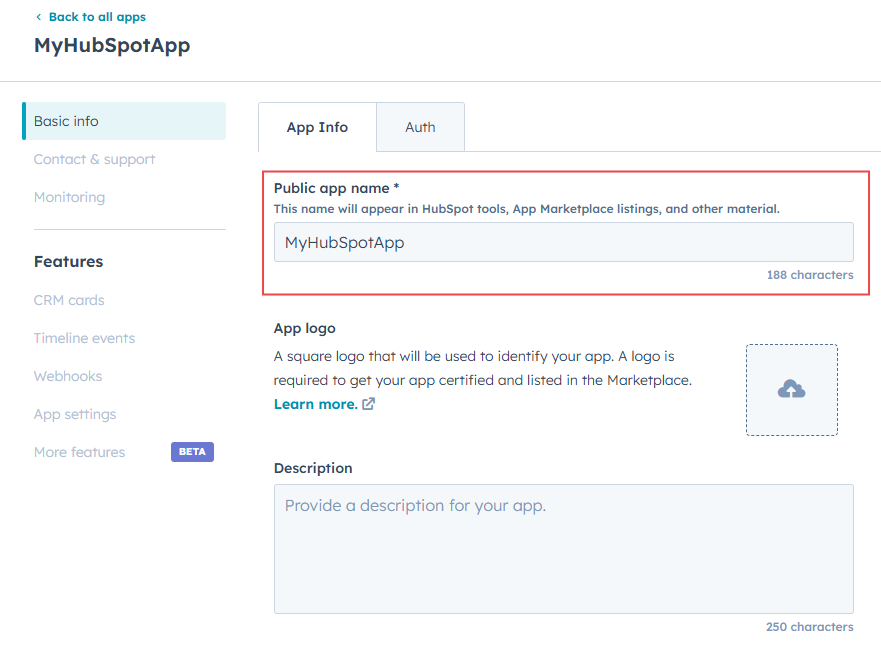
b. 填寫必要的App資訊
i. Public app name
路徑:Basic Info > App Info頁籤 > Public app name
ii. Redirect URLs
路徑:Basic Info > Auth頁籤 > Auth settings > Redirect URLs
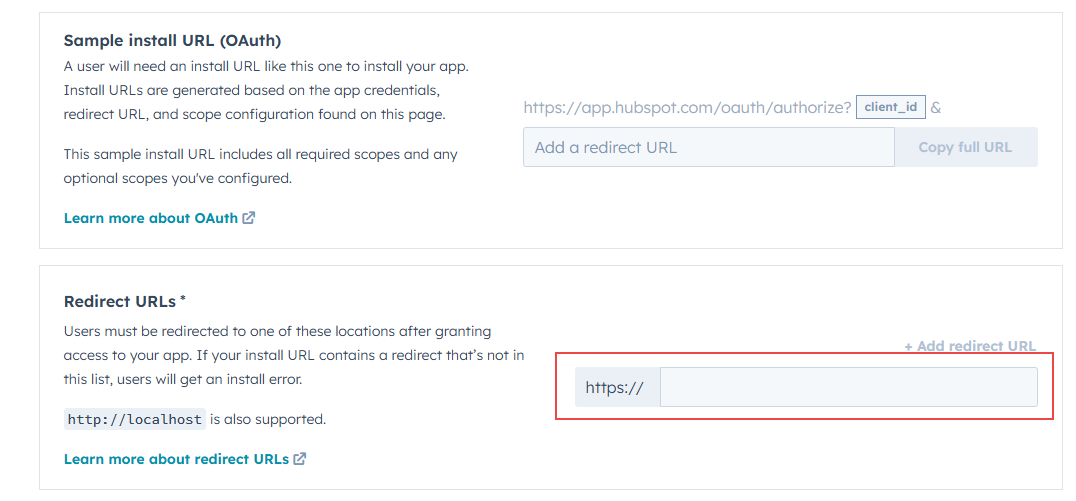
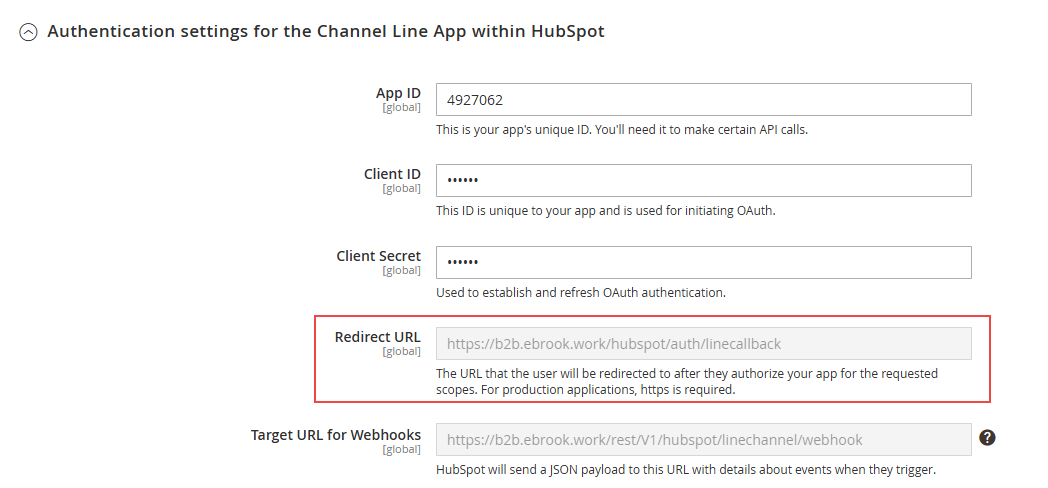
Redirect URL需從JIKA後台獲得,JIKA後台路徑:Stores > Configuration > JIKA COMMERCE > HubSpot CRM > Conversations - Line Channel > Configure > Authentication settings for the Channel Line App within HubSpot > Redirect URL
**黏貼到Hubspot時,請去掉URL前面的 https://
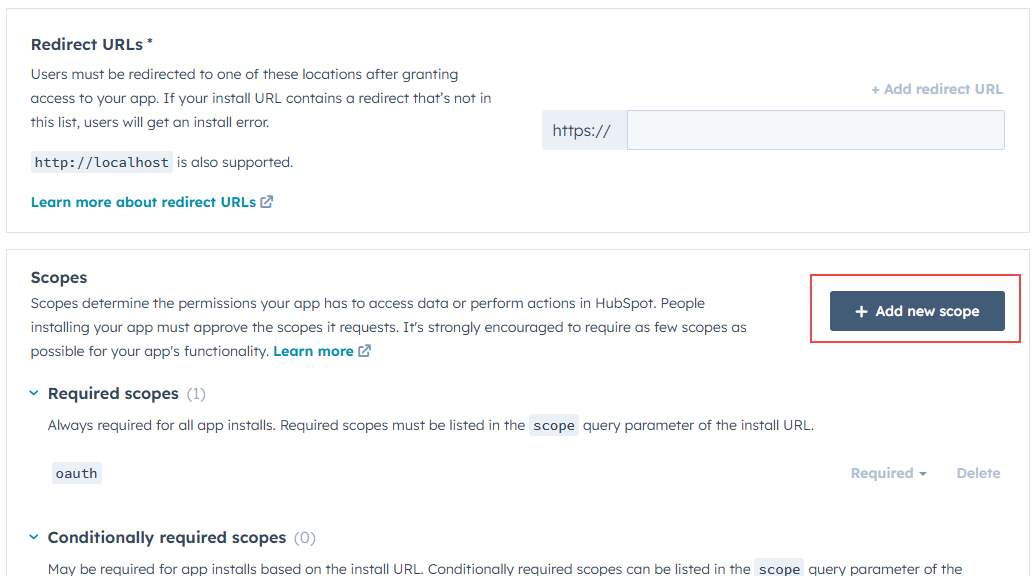
iii. Scopes (路徑:Basic Info > Auth頁籤 > Auth settings > Scopes >  )
)
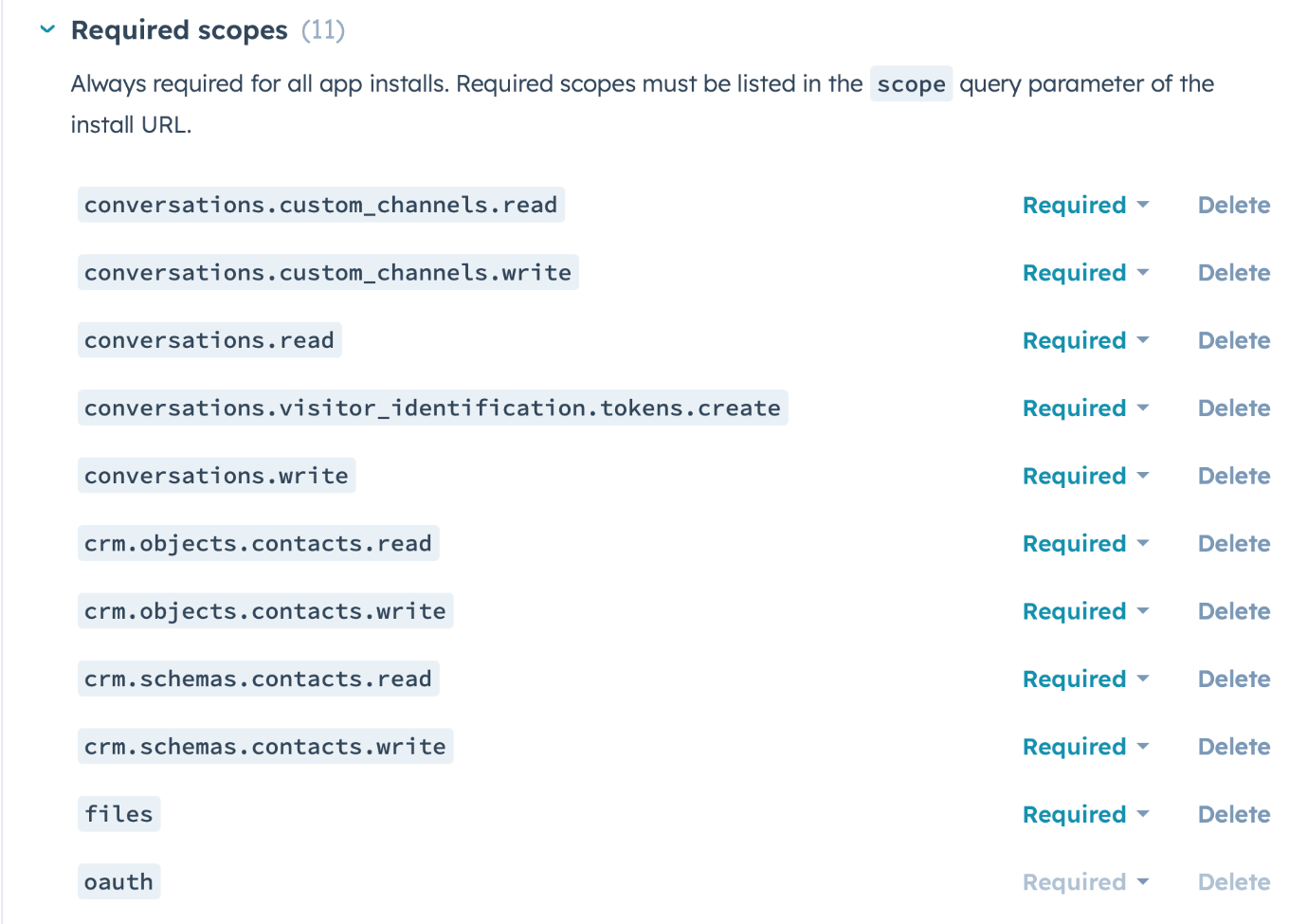
需添加以下11個Scope:
c. 並點擊頁面下方的 完成創建
完成創建
4. 完善App的Webhooks資訊
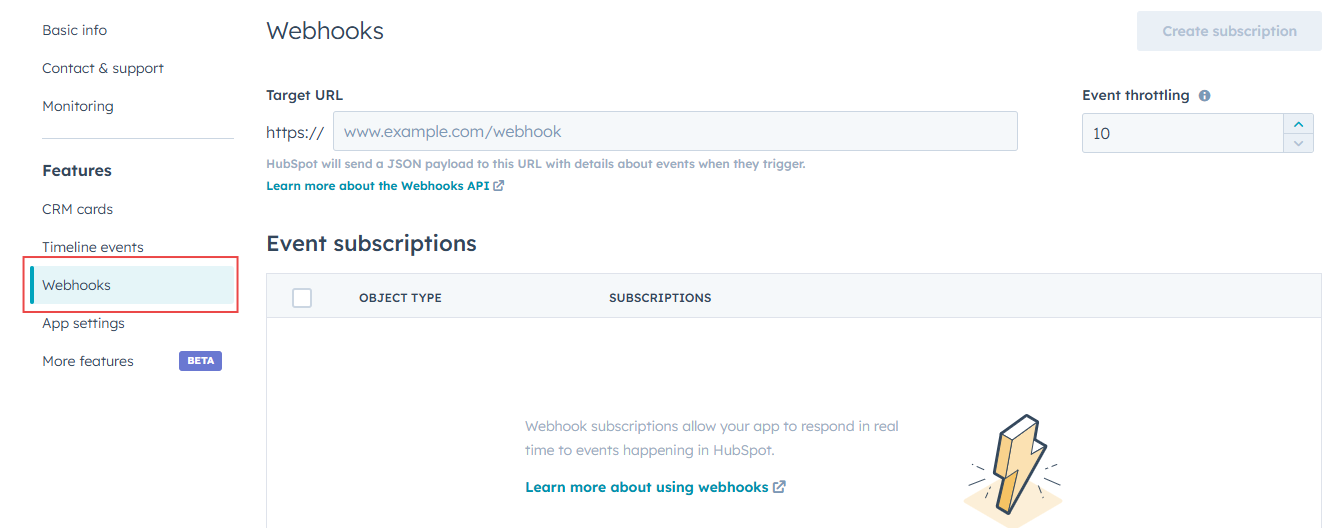
a. 填寫Target URL並點擊頁面下方的
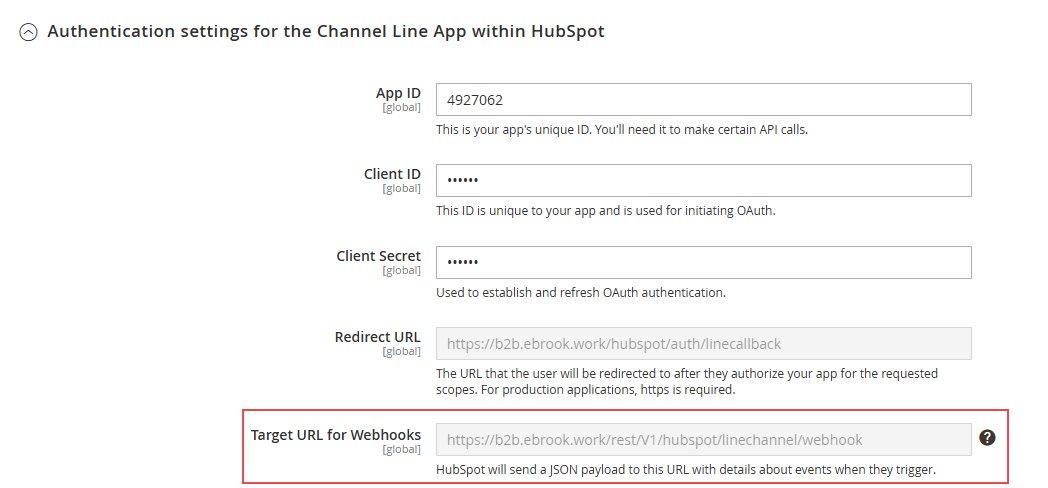
Target URL需從JIKA後台獲得,JIKA後台路徑:Stores > Configuration > JIKA COMMERCE > HubSpot CRM > Conversations - Line Channel > Configure > Authentication settings for the Channel Line App within HubSpot > Target URL for Webhooks
**黏貼到Hubspot時,請去掉URL前面的 https://
b. 點擊頁面右上方的 創建subscriptions
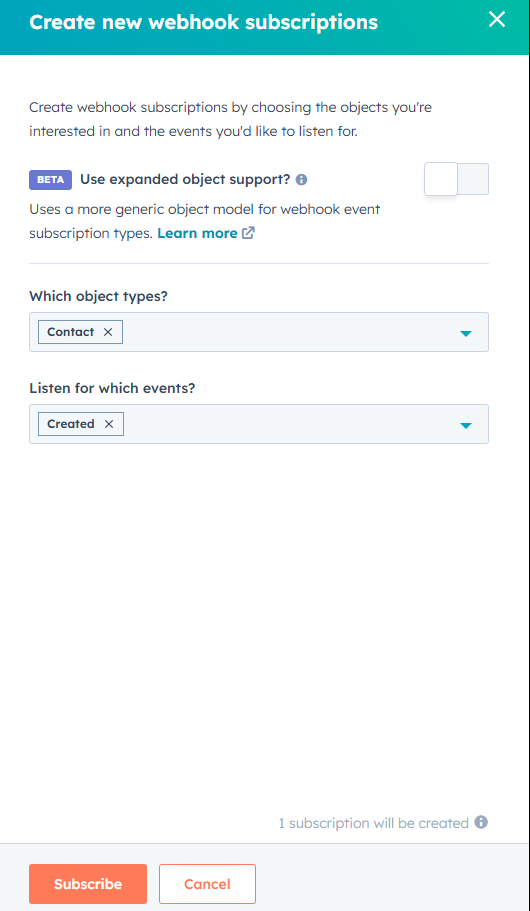
Which object types? -> 請選擇 Contact
Listen for which events -> 請選擇 Created
設定完成後點擊下方 以完成訂閲
以完成訂閲
c. 啓用Subscriptions
i. 將鼠標懸停到訂閲上,點擊
ii. 再將鼠標懸停到訂閲上,點擊
Part 2 在JIKA中完善App串接設定
1. Developer API key
JIKA Path:Stores > Configuration > JIKA COMMERCE > HubSpot CRM > General > Developer API key

需填寫在Part 1 > 2. Get HubSpot API Key 中生成的API Key。
*在JIKA設定並儲存後,需refresh cache(SYSTEM > Tools > Cache Management)
2. Basic Info
JIKA Path:Stores > Configuration > JIKA COMMERCE > HubSpot CRM > Conversations > Line Channel > Configure > Basic Info
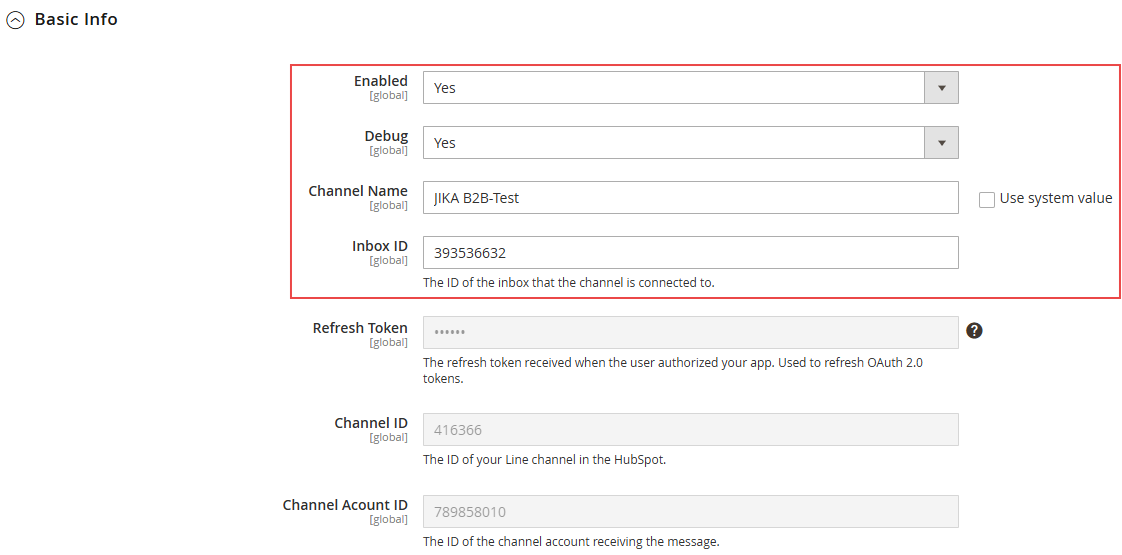
| 配置項 | 填寫説明 |
|---|---|
| Enabled | 設定為‘Yes’ |
| Debug | 設定為‘Yes’ |
| Channel Name | 設定Line Channel在HubSpot Inbox中的展示名稱 |
| Inbox ID |
|
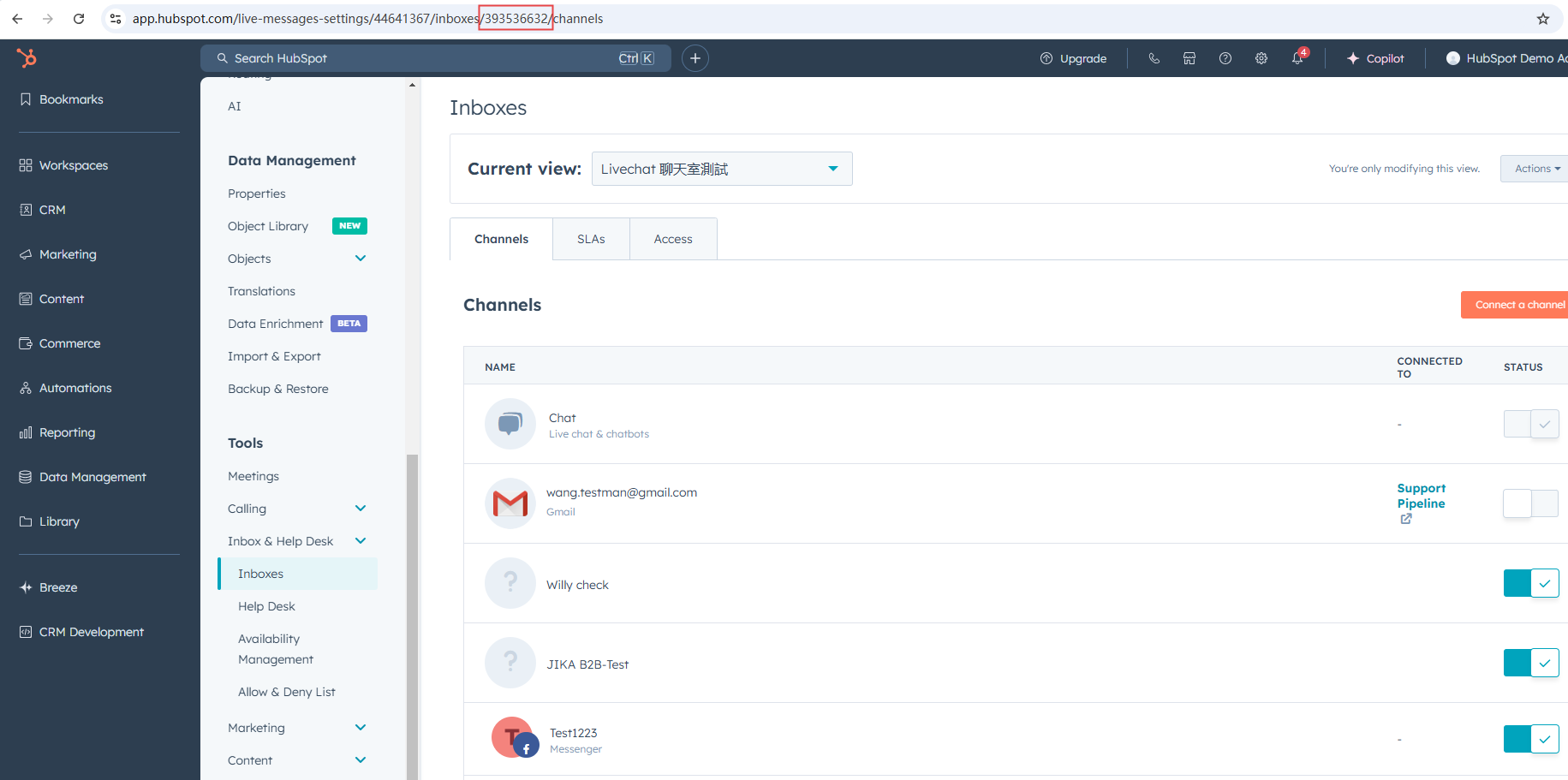
*在JIKA設定並儲存後,需refresh cache(SYSTEM > Tools > Cache Management)
Authentication settings for the Channel Line App within HubSpot
JIKA Path:Stores > Configuration > JIKA COMMERCE > HubSpot CRM > Conversations > Line Channel > Configure > Authentication settings for the Channel Line App within HubSpot
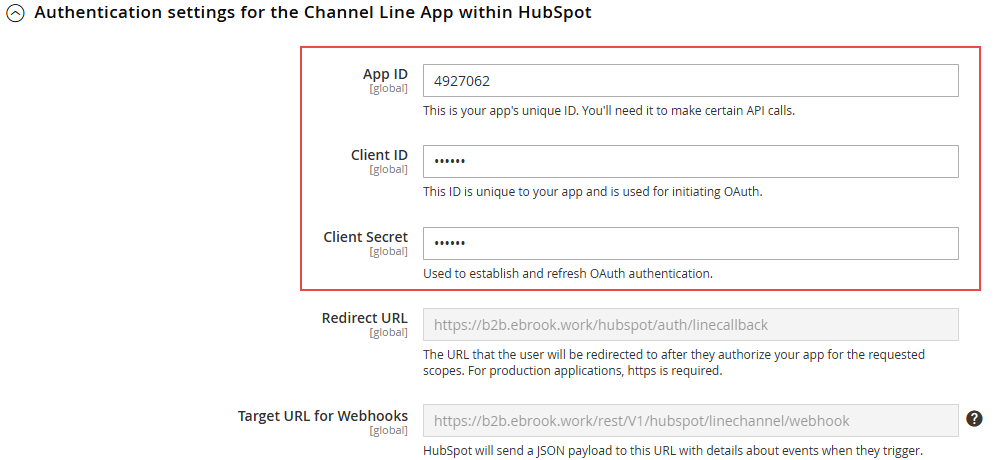
| 配置項 | 填寫説明 |
|---|---|
| App ID | 這些資訊來源於Part 1中創建的APP,copy過來即可 HubSpot(Developer) Path:APP > Basic Info > Auth頁籤 > App credentials
|
| Client ID | |
| Client Secret |
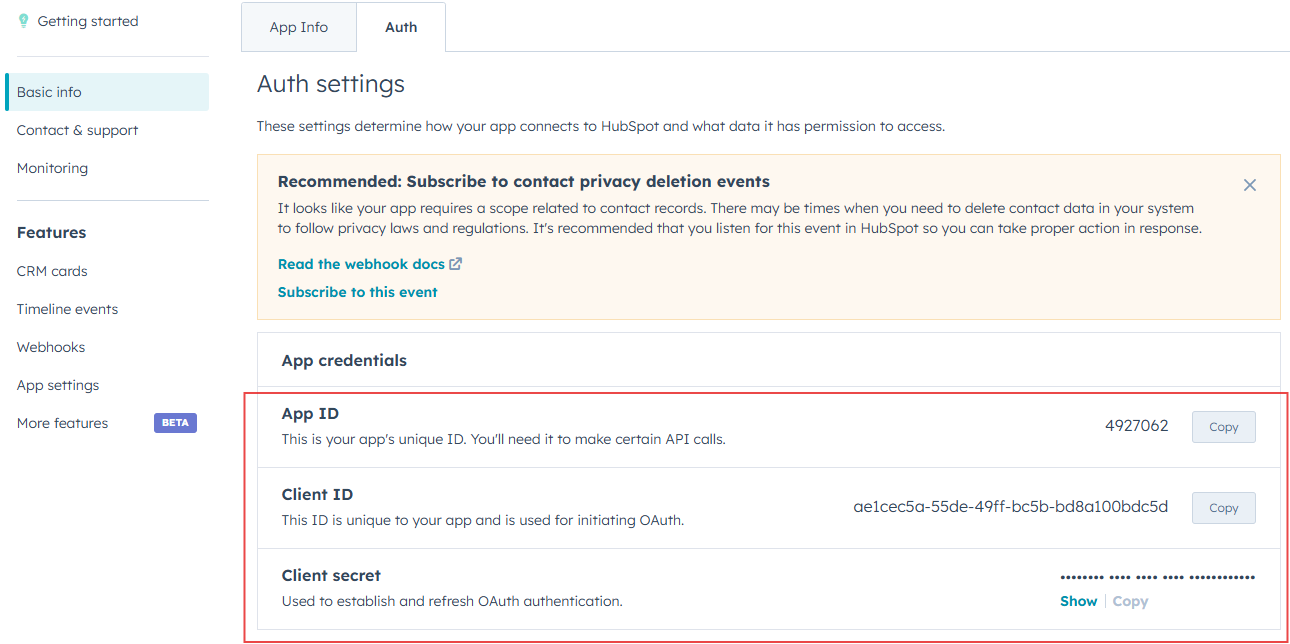
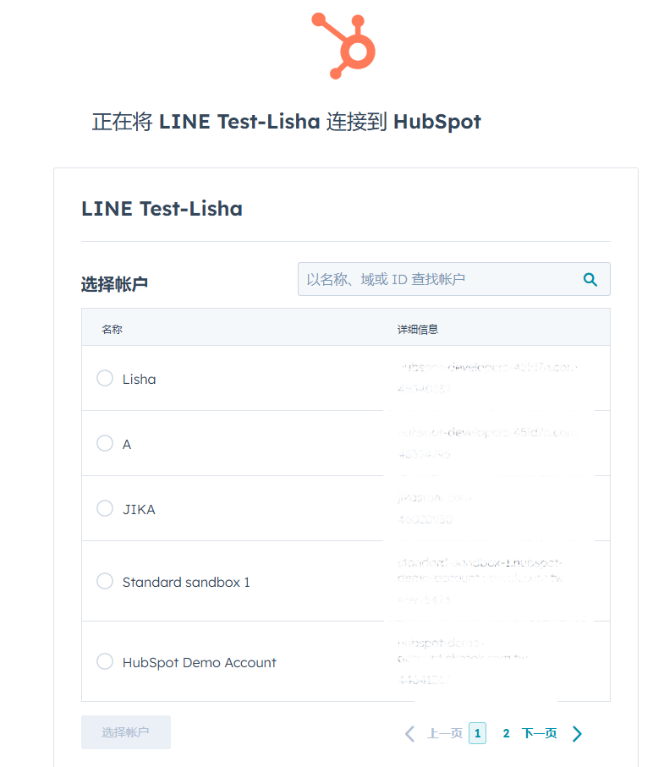
Part 3 將App安裝到需要串接Line的HubSpot Account 中
1. 在HubSpot Developer Account > App > Basic Info > Auth頁籤 > Sample install URL (OAuth) 中複製安裝URL
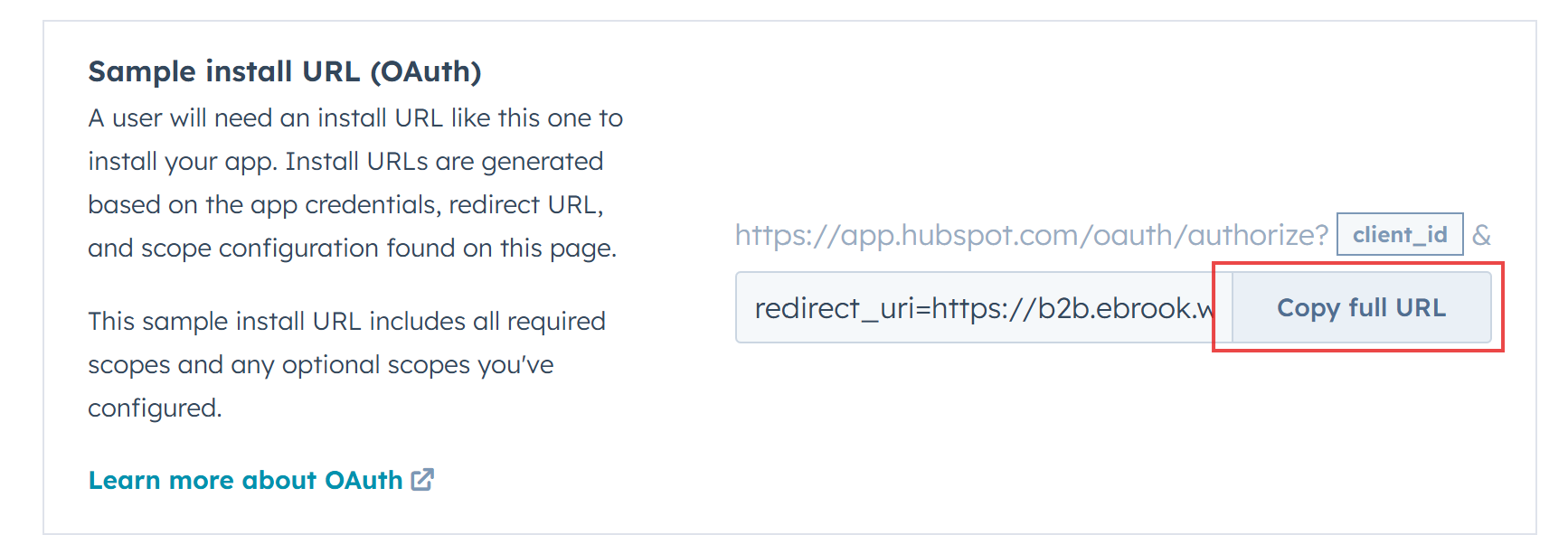
2. 在瀏覽器中新開窗口,透過URL安裝App
3. 安裝時請選擇需串接Line的HubSpot Account
Part 4 將Line Official Account關聯至HubSpot
1. 註冊開發者帳號
URL:https://developers.line.biz/
2. 創建LINE Official Account
URL: https://entry.line.biz/form/entry/unverified
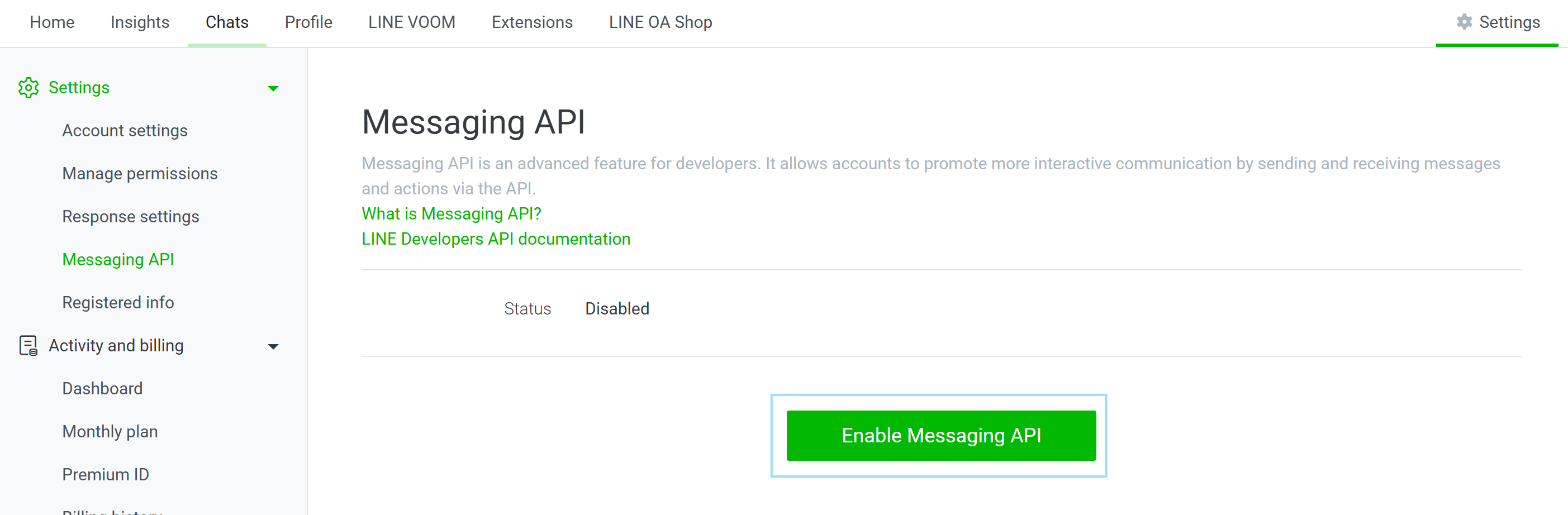
3. 在LINE Official Account中開啓Messaging API
Line Path(Official Account):Settings > Messaging API
a. 點擊
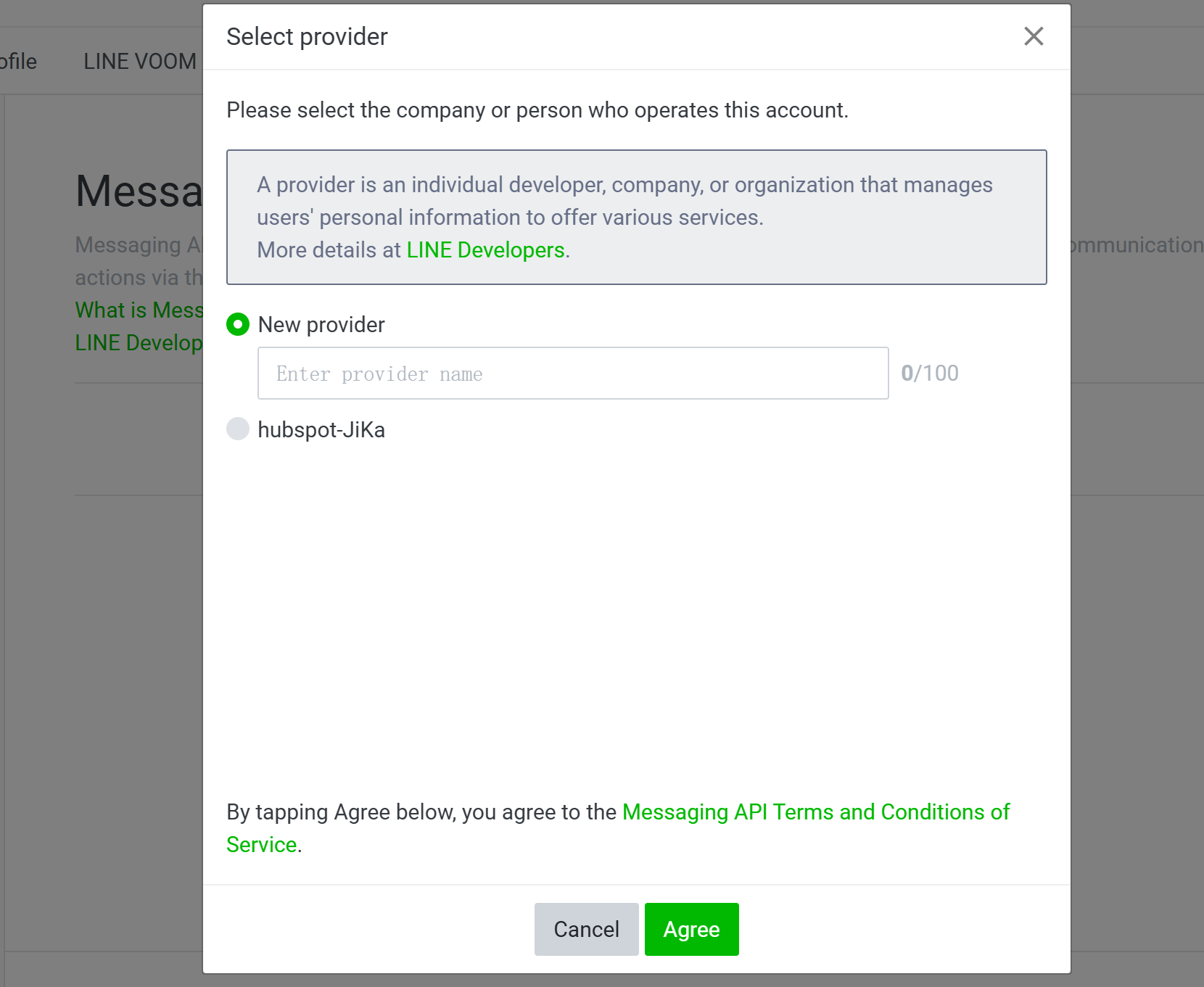
b. 填寫/選擇Provider並點擊
4. 在Developer Account中設定Messaging API
URL:https://developers.line.biz/console/
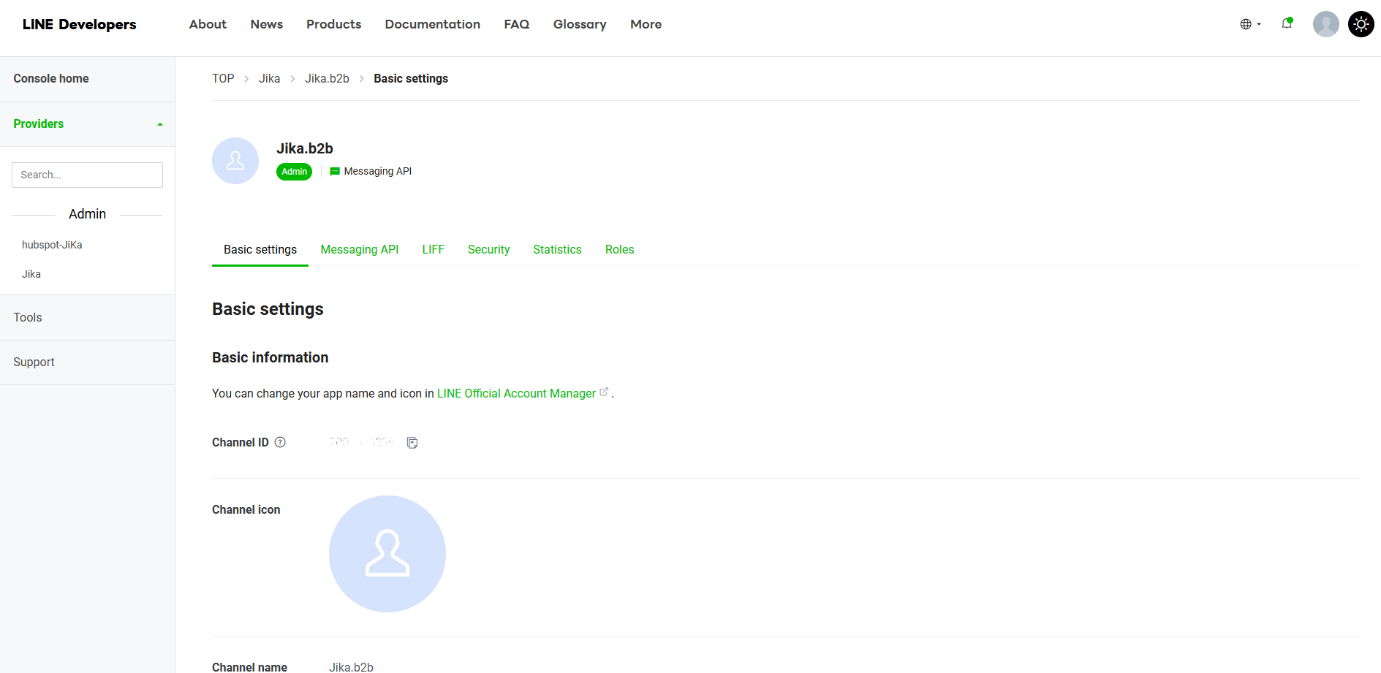
a. 找到對應的Line Channel,並進入其設定頁面
b. 設定Webhook資訊
Line Path(Developer Account):Messaging API頁籤 > Webhook settings
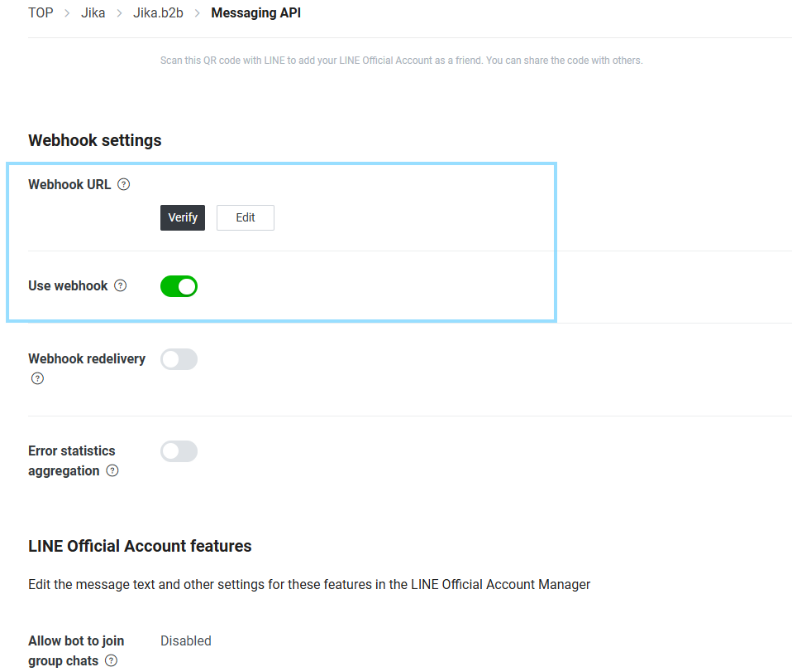
| 配置項 | 填寫説明 |
|---|---|
| Webhook URL | i. Webhook URL需從JIKA後台獲得,JIKA後台路徑:Stores > Configuration > JIKA COMMERCE > HubSpot CRM > Conversations - Line Channel > Configure > Messaging API settings for the Channel within Line Developers Console > Webhook URL ii. 填寫完成後需點擊 |
| Use webhook | 開啓 |
 以確保連接成功
c. 獲取Channel access token
Line Path(Developer Account):Messaging API頁籤 > Webhook settings
點擊[Issue]以獲取Channel access token
5. 在JIKA中完成Messaging API設定
JIKA Path:Stores > Configuration > JIKA COMMERCE > HubSpot CRM > Conversations - Line Channel > Configure > Messaging API settings for the Channel within Line Developers Console
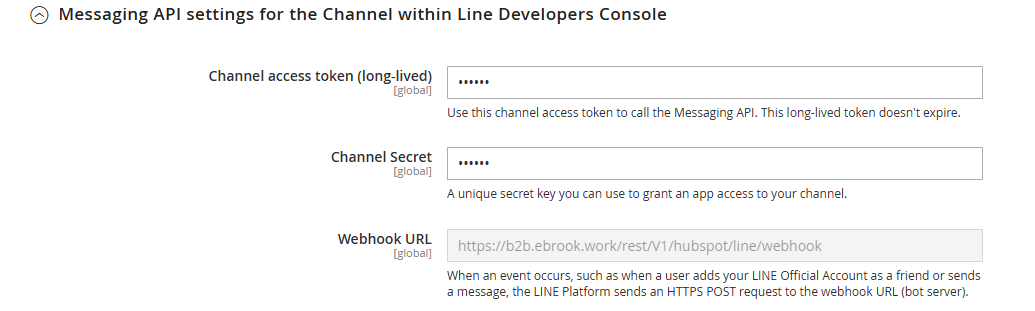
| 配置項 | 填寫説明 |
|---|---|
| Channel access token (long-lived) | 需填寫在Part 4 > 4. 在Developer Account中設定Messaging API > c. 獲取Channel access token 中取得的token |
| Channel Secret | 需填寫Line Official Account > Settings > Messaging API > Channel info > Channel Secret 中的内容 |
*在JIKA設定並儲存後,需refresh cache(SYSTEM > Tools > Cache Management)
實際應用
完成以上設定後,如有聯係人給已關聯的Line Official Account傳送訊息,可於 HubSpot > CRM > Inbox 中查看並回復這些訊息。同時,這些聯係人會自動儲存至 HubSpot > CRM > Contacts 中。